

TL;DR:
- The best alternatives to mymentalhaven.com focus on personal knowledge management, visual organisation, and mental wellness support. Choosing the right one depends on your specific needs, privacy preferences, and platform compatibility, with many offering free trials. For clinical support, accredited UK therapists remain essential, with platforms like Mysafetherapy providing qualified therapy alongside digital tools.
The strongest alternatives to mymentalhaven.com in 2026 are tools built for personal knowledge management, visual organisation, and mental wellness support. Whether you need AI-powered note capture, encrypted private storage, or a visual canvas for ideas, the options below cover every major use case. Here is a quick reference before the full profiles:
- Raindrop.io — Best for bookmark organisation with cross-platform syncing and browser integration
- Milanote — Best for creative professionals who think visually and need mood boards
- Heptabase — Best for nonlinear, spatially connected note-taking and idea mapping
- Mem — Best for AI-assisted note organisation without manual tagging
- Evernote — Best for general users who need reliable cross-device note capture
- Kosmik — Best for teams blending knowledge management with project collaboration
- Obsidian — Best for privacy-focused users who want full local data control
- Karakeep — Best for personal bookmarking with strong privacy safeguards
- Pinterest — Best for community-curated visual inspiration and idea boards
- Cryptee — Best for users who require zero-knowledge encrypted storage
- Eagle — Best for creatives managing large libraries of digital visual assets
- Resurf — Best for AI-driven resurfacing of previously saved personal knowledge
- Craft — Best for users who value clean, rich-text documents with easy sharing
- Fabric Internet OS — Best for users wanting a single workspace integrating multiple productivity tools
- Linkeeper — Best for minimalist, focused bookmark saving without complexity
Pricing ranges from fully free tiers (Raindrop.io, Obsidian, Pinterest) to paid subscriptions, with most tools offering a free trial or limited free plan. Platform compatibility spans web, iOS, Android, and desktop across the majority of these options.
Detailed profiles of the best mymentalhaven.com alternatives
The 15 tools below vary considerably in depth, design philosophy, and intended audience. The comparison table covers the key dimensions, followed by fuller profiles for the tools that warrant more explanation.
| Tool | Best For | Key Features | Pricing Overview | Platform Compatibility | Unique Selling Point |
|---|---|---|---|---|---|
| Raindrop.io | Bookmark organisation | Collections, tagging, browser extensions | Free tier; Pro plan available | Web, iOS, Android, desktop | Extensive browser support with smart filtering |
| Milanote | Visual creative projects | Drag-and-drop boards, notes, images, links | Free tier; paid plans available | Web, iOS, Android | Visual board combining notes and media |
| Heptabase | Visual knowledge mapping | Spatial canvas, linked notes, card system | Paid subscription | Web, desktop | Nonlinear spatial note linking |
| Mem | AI-assisted notes | AI tagging, summarisation, smart search | Free and paid tiers | Web, iOS | Automatic contextual organisation via AI |
| Evernote | Cross-device note capture | Rich text, multimedia, offline access | Free tier; paid plans | Web, iOS, Android, desktop | Established ecosystem with broad integrations |
| Kosmik | Team knowledge and projects | Multi-window, collaboration tools, notes | Paid plans | Web, desktop | Integrated collaboration in one workspace |
| Obsidian | Privacy and data control | Local Markdown files, plugins, graph view | Free; paid sync add-on | Desktop, iOS, Android | Offline-first with full plugin extensibility |
| Karakeep | Private personal bookmarking | Resource curation, privacy controls | Free and paid tiers | Web, iOS, Android | Privacy-centric personal organiser |
| Visual inspiration boards | Image pinning, community boards, link saving | Free; paid ads for creators | Web, iOS, Android | Vast community-curated visual library | |
| Cryptee | Encrypted private storage | Zero-knowledge encryption, notes, photos | Free tier; paid plans | Web | Zero-knowledge architecture |
| Eagle | Digital asset management | Visual tagging, batch processing, folders | One-time purchase | Desktop (Mac, Windows) | Powerful visual asset library for creatives |
| Resurf | AI knowledge resurfacing | Machine learning content recall, smart review | Paid subscription | Web | AI-driven resurfacing of saved content |
| Craft | Rich-text documents | Clean editor, linking, export options | Free tier; paid plans | Web, iOS, Android, desktop | Elegant interface with powerful sharing |
| Fabric Internet OS | All-in-one productivity | App integration, workflow automation, AI | Paid subscription | Web | Unified workspace across multiple apps |
| Linkeeper | Simple bookmark saving | Rapid link saving, tagging, minimal UI | Free and paid tiers | Web, iOS | Minimalist focused bookmark tool |
Raindrop.io
Raindrop.io is the most fully featured pure bookmark manager on this list. Its browser extensions work across Chrome, Firefox, Safari, and Edge, and collections can be nested to any depth you need. The free plan covers unlimited bookmarks; the Pro plan adds full-text search within saved pages, which is the feature that separates it from simpler alternatives. For anyone whose primary need is retrieving a specific saved link months later, that full-text search alone justifies the upgrade.
Milanote
Milanote works like a digital pinboard where text notes, images, links, and to-do lists coexist on a freeform canvas. Creative teams use it for mood boards, campaign planning, and early-stage concept work. The free tier limits the number of notes and images, but the paid plan removes those caps and adds private boards. It does not attempt to be a note-taking app in the traditional sense; the canvas format is its entire identity.

Heptabase
Heptabase sits in a small category of tools that treat knowledge as a spatial network rather than a linear list. Cards connect to one another on a visual canvas, and you can zoom out to see how ideas cluster. Researchers and students who work with complex, interconnected concepts tend to find it more useful than a standard outliner. The subscription is paid-only, with no permanent free tier.
Mem
Mem removes the need to manually file notes. Its AI reads what you write and applies tags, links related notes, and surfaces relevant content when you start a new entry. The practical benefit is speed: you capture a thought and the system handles organisation. The trade-off is that you rely on the AI's judgement about what relates to what, which suits some workflows and frustrates others.
Evernote
Evernote remains the most widely recognised name in cross-device note capture. Its strength is breadth: web clipping, PDF annotation, audio notes, and integrations with tools like Google Drive and Slack are all available. The free plan has become more restricted over recent years, limiting devices and monthly upload allowance, but the paid tiers restore full functionality. For users who need a proven, stable platform with offline access, Evernote is still a dependable choice.
Kosmik
Kosmik combines a spatial canvas similar to Heptabase with built-in collaboration, making it the strongest option for small teams who want shared knowledge management without switching between separate apps. Multi-window support lets you work across several boards simultaneously. It is primarily desktop-focused, which limits mobile use.

Obsidian
Obsidian stores all notes as plain Markdown files on your own device. Nothing is sent to a server unless you opt into the paid Sync add-on. The plugin ecosystem is extensive, covering everything from spaced repetition to calendar integration, and the graph view visualises connections between notes. For users who want complete ownership of their data and are comfortable with a slightly steeper learning curve, Obsidian is the most technically capable option on this list.
Karakeep
Karakeep focuses on personal resource curation with privacy built in from the start. It is a quieter tool than Raindrop.io, with fewer integrations but a cleaner approach to keeping saved content private. Users who find Raindrop.io's feature set more than they need will likely prefer Karakeep's simpler structure.
Pinterest is the outlier here. It is a social platform first, and its bookmarking is community-driven rather than private. The strength is discovery: you save an image or link, and Pinterest surfaces related content from millions of other users. For creative inspiration and trend research, nothing else on this list matches its breadth. For private knowledge management, it is the wrong tool entirely.
Cryptee
Cryptee uses zero-knowledge encryption, meaning the service itself cannot read your notes or photos. This is the defining feature and the reason to choose it over other options. The free tier covers a modest storage allowance; paid plans expand capacity. It is web-only at present, which is a genuine limitation for mobile-heavy users.
Eagle
Eagle is a desktop application for organising visual assets: design files, screenshots, reference images, and video clips. It does not sync to the cloud by default, keeping everything local. Batch tagging and smart filtering make it practical for designers or illustrators managing thousands of files. The one-time purchase model is unusual in this category and appealing to users who dislike subscription fees.
Resurf
Resurf applies machine learning to the content you have already saved, periodically surfacing items that are relevant to what you are currently working on. The concept addresses a real problem: most people save far more than they ever revisit. It is a paid tool and relatively new, so its long-term track record is still developing.
Craft
Craft produces documents that look genuinely polished without requiring design skill. Its linking system connects pages within a workspace, and export options include PDF, Markdown, and shareable web links. The iOS and macOS apps are particularly well built. Users who need to share formatted documents with colleagues or clients will find Craft more suitable than a plain Markdown editor.
Fabric Internet OS
Fabric positions itself as a workspace that connects your existing apps rather than replacing them. It pulls in content from tools you already use and applies AI to surface relevant material. The "Internet OS" framing is ambitious; in practice, it functions as an AI-enhanced personal dashboard. It suits users who feel scattered across too many separate tools.
Linkeeper
Linkeeper is the simplest option on this list. It saves links quickly, applies tags, and stays out of the way. There is no spatial canvas, no AI, and no collaboration. For users who found Raindrop.io or Karakeep more complex than necessary, Linkeeper covers the core use case with minimal friction.
Why do users look for alternatives to mymentalhaven.com?
The search for similar sites to mymentalhaven.com usually comes down to a few recurring issues rather than a single dealbreaker.
- Feature gaps: Users often outgrow a platform's organisational structure, particularly when their saved content grows and retrieval becomes slow or imprecise.
- Pricing changes: Free tiers that shrink over time push users to evaluate whether a paid plan is worth it compared to competitors offering more at the same price point.
- Privacy concerns: Users storing personal notes, mental health reflections, or sensitive research increasingly want to know exactly where their data is held and who can access it.
- Integration limits: A tool that does not connect to the apps already in your workflow creates friction. Users who rely on Notion, Google Drive, or Slack expect their knowledge tool to fit alongside them.
- Interface preferences: Some users find visual canvas tools more intuitive; others prefer plain text. A mismatch between interface style and personal working habits is a common reason to switch.
- Platform availability: A tool that lacks a reliable mobile app loses users who capture ideas on the go.
The mental wellness dimension adds another layer. Users who came to mymentalhaven.com for wellbeing-adjacent features, such as mood journalling or reflective prompts, may find that a pure knowledge management tool does not meet that need. In those cases, the search extends beyond bookmark managers into platforms that explicitly support mental health tracking alongside personal organisation.
How to choose the right alternative for your needs
Choosing between these tools is straightforward once you identify your primary use case and two or three non-negotiable requirements.
- Start with your primary use case. If you mainly save links, Raindrop.io or Linkeeper will serve you well. If you think in visual networks, Heptabase or Milanote fit better. If privacy is the priority, Obsidian or Cryptee are the clearest choices.
- Check the free tier before committing. Most tools on this list offer a free plan or trial. Use it for at least two weeks before paying, since the friction of daily use reveals limitations that a feature list does not.
- Map your existing tools. Evernote integrates with Google Drive, Slack, and Microsoft Teams. Fabric Internet OS connects multiple apps by design. If you already rely on a specific set of tools, check integration compatibility first.
- Assess data ownership clearly. Obsidian and Eagle store data locally. Cryptee encrypts it so the provider cannot read it. Raindrop.io and Evernote store data on their servers under their own privacy policies. The right answer depends on how sensitive your content is.
- Consider platform coverage. Eagle is desktop-only. Cryptee is web-only. If you switch frequently between a laptop and a phone, confirm that the tool has a functional mobile app before committing.
- Look at community and support resources. Obsidian has one of the most active user communities of any tool in this category, with extensive plugin documentation and forums. Evernote has long-established support channels. Newer tools like Resurf have smaller communities, which can mean slower answers to problems.
Pro Tip: Before migrating your existing saved content, export a sample from your current tool and test the import process in your chosen alternative. A smooth import matters more than any feature list.
For users whose search extends into mental wellness support, clinical experts advise prioritising accredited therapists over platform aesthetics when choosing a mental health tool. An app's design should not be the deciding factor when your wellbeing is involved.
AI-integrated mental wellness in the UK: what the research shows
The UK mental health technology space has moved well beyond simple journalling apps. A distinct category of AI-enhanced platforms now sits between self-help tools and licensed therapy, and understanding what these tools actually do helps you choose the right level of support.
AI-integrated wellness platforms support continuity between therapy sessions by tracking emotional patterns and automatically briefing therapists, prioritising data privacy through anonymisation and end-to-end encryption. These are not standalone therapy replacements; they enhance clinical interactions by carrying forward context that would otherwise be lost between appointments. MyndHaven is a clear example of this model: it builds a running picture of a user's emotional history, generates pre-session briefings for therapists, and provides anonymised aggregate insights for organisations, with individual data encrypted and never sold.
AI-enabled tools that prepare therapists before sessions improve appointment productivity and reduce wasted time, making therapy more focused and effective. Patients report more productive appointments when platforms brief therapists in advance, a clinical benefit that goes beyond simple mood tracking. Mind Haven, which offers AI-guided therapeutic conversations with HIPAA-compliant encryption and science-backed CBT and mindfulness exercises, represents the self-directed end of this spectrum. It is designed to complement professional therapy, not replace it.
For UK users, accreditation is the critical filter. The BACP therapist directory and UKCP register are the two primary verification sources for confirming that a therapist holds recognised UK credentials. Self-help apps like MindShift CBT, Calm, and Insight Timer are recognised within UK clinical frameworks as supplementary supports, but they do not substitute for a qualified practitioner. MindShift CBT, for instance, applies cognitive behavioural therapy tools for anxiety and stress management through journalling and coping exercises, making it a credible adjunct to therapy rather than a replacement.
Key recommendations for UK users evaluating AI mental wellness platforms:
- Confirm whether the platform provides clinician briefings or only personal symptom tracking. The two serve very different purposes.
- Verify HIPAA compliance or UK GDPR alignment before sharing sensitive personal data with any AI tool.
- Use accredited directories such as BACP and UKCP to verify therapist credentials independently of the platform's own claims.
- Treat AI wellness tools as a layer between sessions, not as a substitute for licensed clinical care.
- Check whether the platform's corporate or employer-facing features use anonymised aggregate data, since individual privacy should never be compromised for organisational reporting.
The distinction between a personal knowledge tool and a clinical support platform matters. Tools like Obsidian or Raindrop.io organise information; platforms like MyndHaven or Mind Haven are designed to support mental health with clinical intent. Choosing the right category is the first decision, and the tools within each category can then be compared on their own terms. For guidance on how AI safely supports mental health care, the clinical context is worth reading before committing to any AI-powered wellness platform.
Key takeaways
The strongest mymentalhaven.com alternatives serve distinct use cases, and matching the tool to your specific need is more reliable than choosing by feature count alone.
| Point | Details |
|---|---|
| Match tool to use case | Raindrop.io and Linkeeper suit bookmark management; Obsidian and Cryptee suit privacy-first note storage. |
| AI organisation varies widely | Mem automates tagging; Resurf resurfaces saved content; both require trust in AI judgement over manual control. |
| Privacy is a genuine differentiator | Obsidian stores data locally; Cryptee uses zero-knowledge encryption; neither can be read by the provider. |
| UK accreditation matters for wellness | BACP and UKCP directories verify therapist credentials; AI wellness apps complement but do not replace licensed therapy. |
| Mysafetherapy offers clinical-grade support | For UK users needing accredited therapy alongside digital tools, Mysafetherapy connects you with BACP and UKCP-registered therapists. |
Mysafetherapy: accredited UK therapy alongside your digital tools
The tools compared above handle knowledge, bookmarks, and personal organisation well. None of them provide clinical mental health support from a qualified practitioner. If your search for a mymentalhaven.com alternative includes a need for actual therapy, not just a journalling or tracking app, that gap matters.
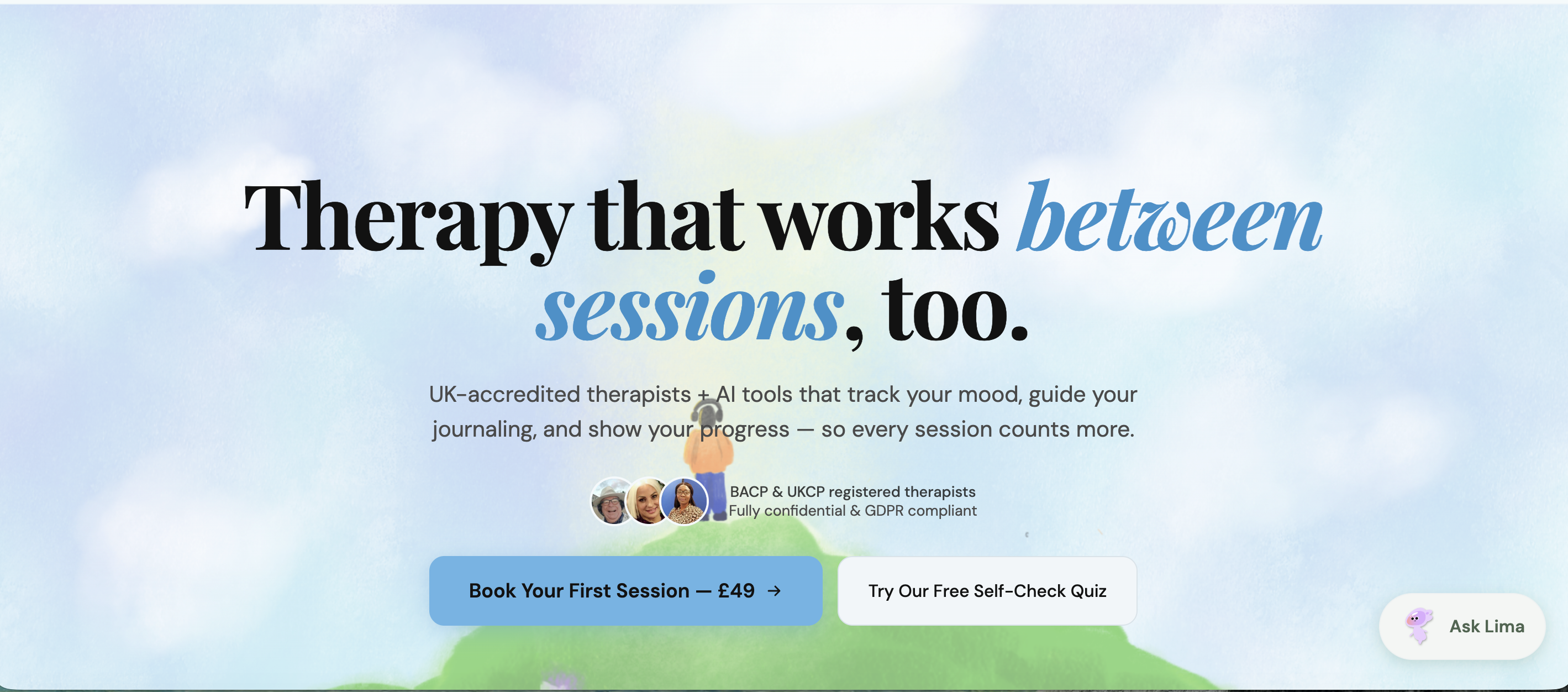
Mysafetherapy connects UK users with therapists registered with BACP, UKCP, and NCPS, covering anxiety, depression, burnout, relationship difficulties, and trauma. Sessions run via video, text chat, or avatar-based formats, including evenings and weekends, with transparent pricing from £49. AI journalling and mood tracking sit alongside live sessions rather than replacing them, which is the model clinical advisors recommend. Therapist switching is straightforward, and there is no long-term commitment required.
If you are ready to speak with an accredited therapist, you can book a session directly, or review the therapist standards Mysafetherapy applies before listing any practitioner. For users who prefer text-based support, chat therapy from £49 is available with the same accreditation standards applied throughout.