
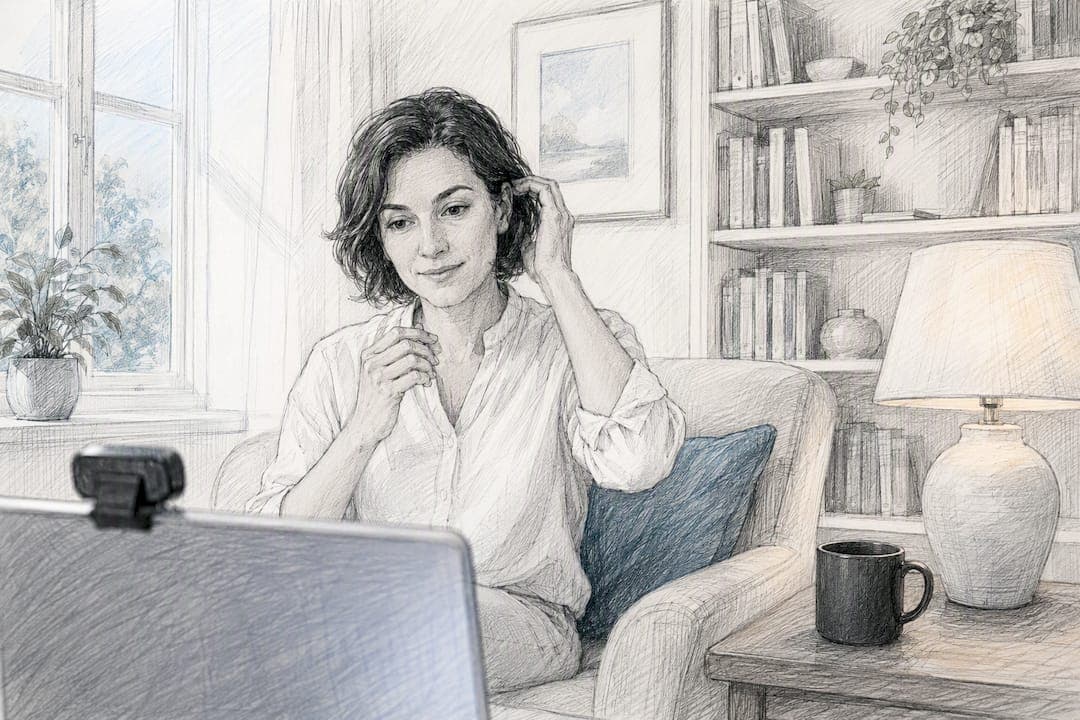
Online therapy etiquette is simple: arrive on time, in a private and charged location, with a working device and boundaries agreed in advance with your therapist. Two actions matter most before anything else. Find a quiet, private space where you will not be overheard, and test your technology so the session runs without disruption.
TL;DR:
- Most technical issues during online therapy resolve within a minute through simple troubleshooting like refreshing or restarting devices.
- Reconnection plans and emergency protocols should be discussed and confirmed with the therapist before starting sessions to ensure safety and continuity.
- Maintaining privacy, turning off notifications, and choosing a distraction-free environment are essential to creating a conducive online therapy setting.
- Therapists should clearly explain confidentiality, record-keeping, and disclosure exceptions early in the process, with explicit consent for recordings and data handling.
- Clear boundaries and professional conduct, including respecting agreed communication channels, are vital to a safe and effective online therapy experience.
Table of Contents
- Pre-session checklist: device, connection, lighting and privacy
- During the session: speaking, camera etiquette and the therapeutic frame
- Consent, confidentiality and limits: what to ask and expect
- If the connection fails or you feel unsafe: immediate steps to take
- Red flags and when to raise concerns or switch therapist
- Getting the most from online therapy: buffer times, notes and between-session work
- Why you can trust this guidance: MySafeTherapy safety and accreditation summary
- Appropriate attire and presentation for online therapy sessions
- Managing personal distractions and focus during sessions
- Etiquette for communication style, tone, and self-expression in an online setting
- Publisher perspective: a short note from MySafeTherapy
- How MySafeTherapy helps: quick summary and call to action
- Sources
- FAQ
Pre-session checklist: device, connection, lighting and privacy
Preparation removes most of the friction from online therapy. A stable connection and a settled environment let you focus on the conversation rather than the screen.
The NHS guidance on video conferencing recommends a quiet, well-lit space, headphones to reduce echo, and a stable Wi-Fi connection to prevent the call from dropping. Run through this list before each appointment:
- Check your Wi-Fi signal and run a speed test if the connection has been unreliable before.
- Use a device with a working camera and microphone, propped at eye level rather than held in your hand.
- Wear headphones. They cut echo and stop anyone nearby from hearing your therapist's side of the conversation.
- Silence notifications and close any app that might interrupt the call or pull your attention away.
- Pick a private room, close the door, and agree with anyone you live with how interruptions will be handled during your session.
Charge your device the night before, confirm the appointment link is correct, and keep your therapist's reconnection number somewhere you can find it quickly. NHS Talking Therapies guidance on preparing for video sessions notes that video sessions follow the same format as in-person therapy, so the same basic preparation applies: test your equipment, choose your space, and give yourself time either side of the call.
Pro Tip: Do a two-minute test call with a friend the day before your first session to check your camera angle, lighting and sound before it counts.
During the session: speaking, camera etiquette and the therapeutic frame
The first minutes of any new arrangement with a therapist usually cover contracting: confidentiality, how contact between sessions works, and what happens if the call fails. Listen to this carefully. It sets the frame for everything that follows.
A few habits keep an online session feeling closer to an in-person one.
- Review your therapist's contracting points at the start, particularly around confidentiality and contact between sessions.
- Look towards the camera now and then rather than at your own image; propping the device rather than holding it keeps this steady.
- Speak clearly and leave space for your therapist to respond. Multi-tasking during the call, even something as small as checking a phone, breaks the thread of the conversation.
- Keep contact within the channels you have agreed. Following or messaging your therapist on social media sits outside the professional relationship and most therapists will decline it.
- Say so if you need a short break. At the end of the session, follow whatever closing routine you have agreed, whether that is a brief summary or a note on what to focus on next.
BACP's guidance on counselling terms and boundaries describes boundaries around time, confidentiality and the professional relationship as the structure that keeps therapy safe, and says they should be agreed collaboratively at the outset rather than assumed. That includes what happens if the technology fails and how the session will close. A therapist who skips this step at the start is worth asking about directly.
Reading about the difference between video and chat therapy beforehand can help if you are still deciding which format suits you, since the etiquette shifts slightly between the two.
Consent, confidentiality and limits: what to ask and expect
Confidentiality in online therapy works the same way it does in person, with the same exceptions. Ask your therapist for their privacy notice early on: how session notes are stored, who can access them, and how long they are kept.
BACP's guidance on confidentiality states that therapists should explain record-keeping and disclosure principles at the contracting stage, and that data protection rules apply to how those records are handled. A few points worth confirming directly with your therapist:
- Ask what exceptions to confidentiality exist, typically covering risk of serious harm to yourself or others, safeguarding concerns, or a legal requirement to disclose.
- Never assume a session can be recorded. Ask first and get explicit, written agreement before anyone records a call.
- Expect your therapist to be registered with a professional body such as BACP, UKCP or NCPS, and to be able to explain their supervision arrangements and how to raise a complaint if something goes wrong.
A therapist's approach to confidentiality is set out clearly at the start of therapy under BACP's ethical framework, and asking about it directly is a normal, expected part of starting online sessions rather than an awkward question. Our guide to confidential online support covers these exceptions in more detail if you want to read further before your first appointment.
If the connection fails or you feel unsafe: immediate steps to take
Technical failures happen occasionally, and knowing the sequence in advance stops a dropped call from becoming a wasted session.
- Refresh the page, close and reopen the app, or restart your device. Most disconnections resolve within a minute this way.
- If that fails, move to the agreed phone fallback. Confirm in advance who calls whom if the video drops, and keep that number saved.
- If you feel unsafe during a session, say so and end the call. If you are at immediate risk, contact your local crisis service straight away rather than waiting for the session to resume.
The NHS guidance on video conferencing notes that therapists typically have a reconnection or telephone fallback plan and will document technical disruptions as part of good practice. Mind's guidance on what happens in therapy also points out that therapists may not be able to offer emergency out-of-session support, so it is worth clarifying what to do in a crisis before you need it.
Pro Tip: Save your therapist's reconnection number under a clear label in your phone, such as "Therapy: reconnect", so you're not searching for it mid-disruption.
Red flags and when to raise concerns or switch therapist
Most online therapy runs smoothly, but a few behaviours are worth naming and acting on rather than letting slide.
- Pressure to communicate outside agreed channels, boundary crossings, or requests for money or favours beyond the fee.
- Repeated breaches of confidentiality, or vagueness when you ask how your information is stored.
- Dismissiveness when you raise a concern directly in session.
If you notice any of these, raise it with your therapist first. Ask about their supervision arrangements and how to make a formal complaint. You can also check a therapist's registration directly with BACP, UKCP or NCPS, and switching therapist is a reasonable next step if concerns are not resolved.
Getting the most from online therapy: buffer times, notes and between-session work
A little structure around the session, not just during it, makes online therapy more useful.
- Build a 10-20 minute buffer before the session to settle, and the same afterwards to process what came up rather than moving straight to the next task.
- Agree with your therapist whether journalling or note-taking between sessions fits your work together.
- Set one small, specific task between sessions and review it briefly at the start of the next one.
Pro Tip: Keep a short note after each session, even just two lines, so progress is easy to track over weeks rather than relying on memory.
The NHS Talking Therapies handout on preparing for video sessions describes this buffer as replicating the psychological "commute" that used to happen naturally on the way to and from an in-person appointment. Our article on whether online therapy works covers the evidence behind this kind of session structure in more detail.
Why you can trust this guidance: MySafeTherapy safety and accreditation summary
MySafeTherapy connects clients with UK-accredited therapists registered with bodies including BACP, UKCP and NCPS. The platform offers video, chat and avatar-based sessions, with transparent pricing and the option to switch therapist if the fit is not right. Readers who want to look further before booking can read our online therapy safety guide or our guide to confidential online therapy, both of which set out how privacy and setup work in practice.
Appropriate attire and presentation for online therapy sessions
Dressing for an online session works the same way it would for a face-to-face appointment: comfortable and appropriate for a conversation you are taking seriously. There is no dress code, but a few practical points help.
Avoid clothing that clashes visually with your webcam, particularly fine stripes or very bright patterns, which can distort on lower-quality connections. Sit somewhere with your back to a wall rather than a window, since backlighting makes it harder for your therapist to see your expression clearly, something the NHS Talking Therapies handout on video sessions specifically recommends.
Beyond that, dress as you would for any appointment you want to feel present for. Some people find that changing out of pyjamas, even for a session at home, helps them treat the hour with the same seriousness as leaving the house. Others find loungewear at home puts them at ease enough to speak openly. Either is fine as long as it does not become a distraction during the call itself.
Managing personal distractions and focus during sessions
Distractions during online therapy tend to come from two directions: the environment around you and the device in front of you.

Turn your phone face down or leave it in another room rather than simply silencing it, since notifications on a lit screen pull attention even when they make no sound. Close browser tabs and other applications before the call starts rather than during it. If pets or family members are likely to interrupt, agree a plan in advance, whether that is a closed door, a sign, or a specific time when the household knows not to enter.
If your mind wanders mid-session, that is normal and worth mentioning rather than hiding. Therapists are used to working with distraction and can adjust the pace or the topic if focus is slipping. Trying to push through in silence usually costs more of the session than pausing to say what is happening.
Etiquette for communication style, tone, and self-expression in an online setting
Online conversation loses some of the small cues that come naturally in a room together, so being slightly more explicit helps. Say when you are pausing to think, rather than leaving silence that could be mistaken for a frozen connection. If you are unsure whether your therapist has finished speaking, a brief check-in is more useful than talking over them.
Tone matters more on a screen than it does in person, since facial expression alone can carry less weight through a smaller video window. Speaking slightly more clearly than you would face-to-face, without changing what you say, helps your therapist read you accurately. If something in the conversation upsets or unsettles you, naming that directly tends to work better online than trying to signal it through expression alone.
The same courtesy that applies in person applies here: turn-taking, listening without interrupting, and giving honest answers even when they are uncomfortable. The medium changes slightly, the basic respect does not.
Publisher perspective: a short note from MySafeTherapy
Getting comfortable with the technical side of online therapy takes most people one or two sessions, not zero. If your camera angle is wrong or your Wi-Fi drops on the first call, that is not a sign therapy is not working for you.
Support with setup, and guidance on privacy and safety, are available if you want help before your first appointment.
— MySafeTherapy
How MySafeTherapy helps: quick summary and call to action
MySafeTherapy offers video, chat and avatar-based sessions with UK-accredited therapists, so you can choose the format that makes it easiest to be open, including anonymous options if a camera feels like too much at first. Pricing is transparent and switching therapist if the fit is not right costs nothing extra; current session prices are available on the pricing page.
If the checklist above has answered your questions about how sessions work, the next step is straightforward: view pricing and session options or start with an online therapy session today.
This article is general information, not a substitute for advice from a qualified doctor. Consult a qualified healthcare professional about your own circumstances before acting on anything here.
Sources
- Using video conferencing and consultation tools - NHS England Digital
- Counselling terms and clients | BACP
- Video sessions - Frequently asked questions - Camden and Islington NHS Talking Therapies
- What happens in therapy | Mind
FAQ
Is virtual therapy awkward?
It can feel unfamiliar for the first session or two, particularly around camera angles and pauses, but NHS Talking Therapies guidance notes that video sessions follow the same format as in-person therapy. Most people settle into the rhythm quickly once the technical basics are sorted.
What is a red flag in therapy?
Pressure to communicate outside agreed channels, repeated confidentiality breaches, or requests for money or favours beyond the agreed fee are all worth raising directly with your therapist. BACP guidance on boundaries describes clear, collaboratively agreed boundaries as central to safe therapy, so a therapist unwilling to discuss them is itself a signal.
Is it appropriate to hug your therapist?
Physical contact sits outside the standard professional boundary that BACP describes, and in online therapy the question does not arise in the same way, since sessions happen over video, chat or phone. If you are moving between online and in-person sessions, it is worth asking your therapist directly how they handle physical contact.
What not to say during therapy?
There is no fixed list of banned topics. Mind's guidance on what happens in therapy encourages patients to ask questions and be open, since withholding relevant information tends to slow progress rather than protect it. The main exception is anything suggesting immediate risk to yourself or others, which your therapist is trained to respond to, not avoid.